Table preferences in upgraded Planhat
How to choose which columns are shown and in which order, and how to sort rows, when visualizing data in tables
Summary
Often in Planhat, you'll look at tables of data - this can be temporary views in the Data Explorer, or more permanent Pages
It's really easy for you to choose which columns (corresponding to properties such as "CSM Score", "ARR" or "Owner") are shown, and in which order, including which are pinned
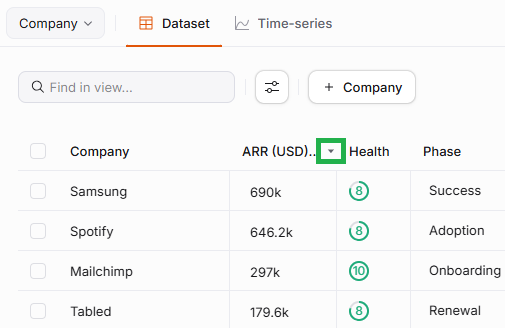
It's also simple to sort the rows of your data table by your choice of column/property, in either ascending or descending order
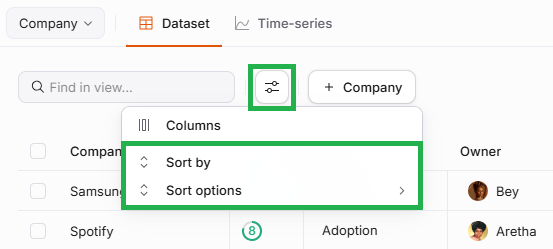
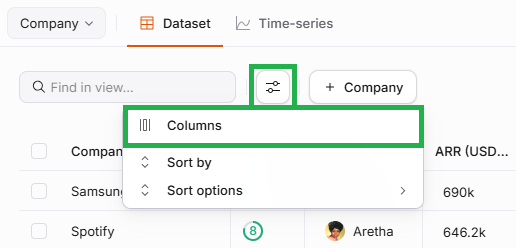
In Data Explorer, Data Table Pages or Grouped List Pages, you access these settings via the button with a slider icon
Who is this article for?
Any Planhat user
Article contents
Introduction
Within Planhat, you will often be viewing data arranged as an interactive, live table.
You'll see this in a number of places within Planhat:
In the "Dataset" tab of "Data Explorer"
In Data Table and Grouped List Pages
In Data Table Widgets within Presentation or Dashboard Pages
Within these tables, you can easily configure which columns (properties) are shown, and in which order.
It's also simple to sort the rows by a column/property of your choosing, and choose whether the data is in ascending or descending order.
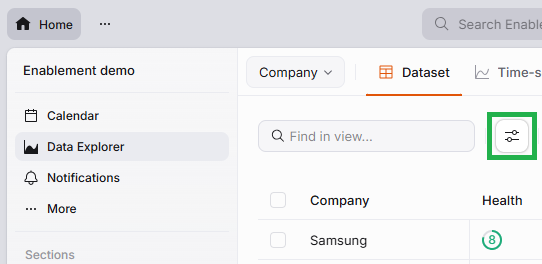
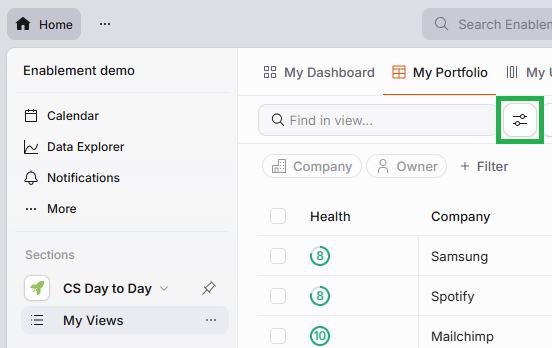
Whether you're in Dataset in Data Explorer, or looking at a Data Table or Grouped List Page, you set your column and sort preferences via this slider icon:
Example in Data Explorer
Example in a Data Table Page
📌 Important to note
When editing a Data Table Widget (as opposed to a Data Table Page), you configure your column preferences and sort order via the main Widget edit menu rather than by clicking a slider icon, and this is outside the scope of this article. However, you'll still use the same column configuration modal as described in the instructions below.
Choosing which columns are shown, and in which order
Columns correspond to properties (fields, Metrics or Success Units) on the data model that the table has been built for.
Configuring the sort order
If you would like to sort the rows in your data table, there are two steps: