How to Bulk Assign Owners and Co-Owners to Multiple Companies
How to Assign an Owner or Co-Owner to Multiple Companies
There's a few different ways that you can bulk assign account Owners and Co-Owners to Companies in Planhat:
Data Explorer
Use this method to change the Owner or Co-Owner of multiple Companies to the same User (Team Member).
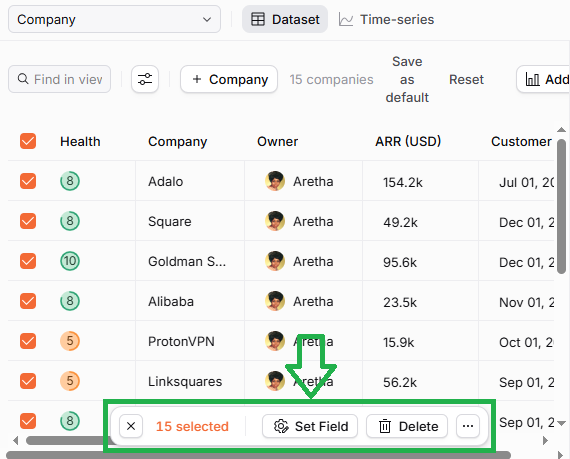
📌 Important to note: Please make sure you're only selecting the Companies that you want to update, because there's no undo button. You can see in both the screenshots immediately above that the number of items (Companies) is shown, so you can use that as a check that you have selected only the Companies you want to edit.
Excel Import
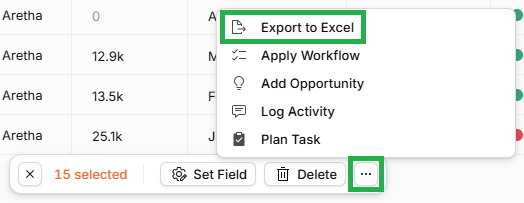
This method can be useful if you want to change the Owner or Co-Owner of multiple Companies to different Users (Team Members).
API
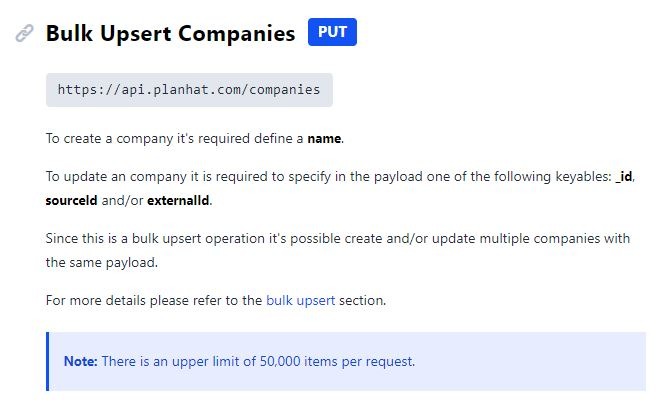
This is a little bit more technical, but you can bulk update Company Owners and Co-Owners using our API. If you would like to use this method, then you can check out our API documentation here.