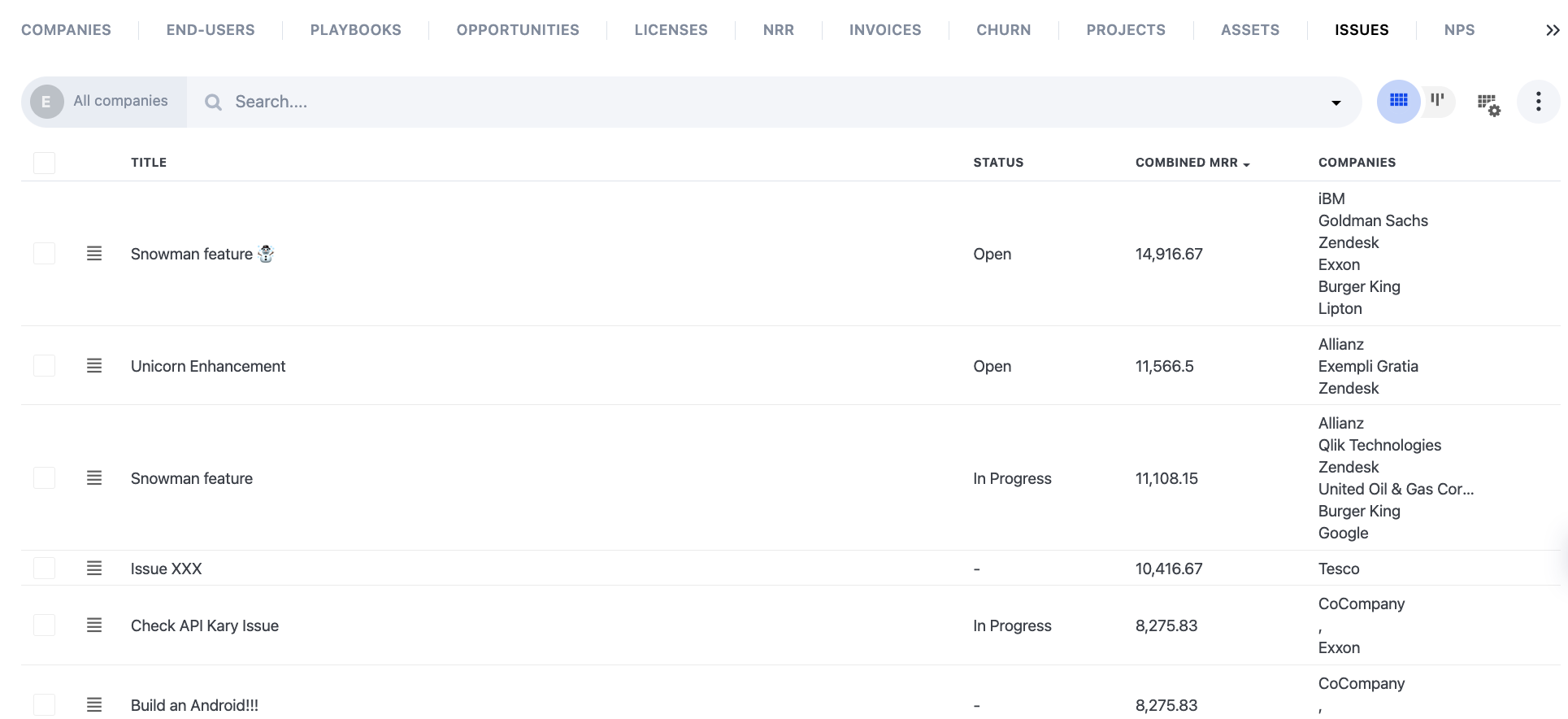
Combined MRR and Combined ARR for Issues
In Planhat we know that when managing Issues like bugs, enhancements or feature requests, one of the main challenges is how to prioritize them, that's why we have introduced the Combined MRR/ARR column to help you make better decisions.
📌 Important to note: depending on the reporting options you have set in the general settings, MRR or ARR, you will see the Combined MRR or Combined ARR column in the Issues tab.
What is the Combined MRR/ARR column?
This attribute will show you the combined MRR/ARR of all companies assigned to an Issue in the Data tab and the Company Profile, and allow you to sort and filter to get a clear view of which issues are the most impacting on your revenue.
Filters and Notifications based on Combined MRR
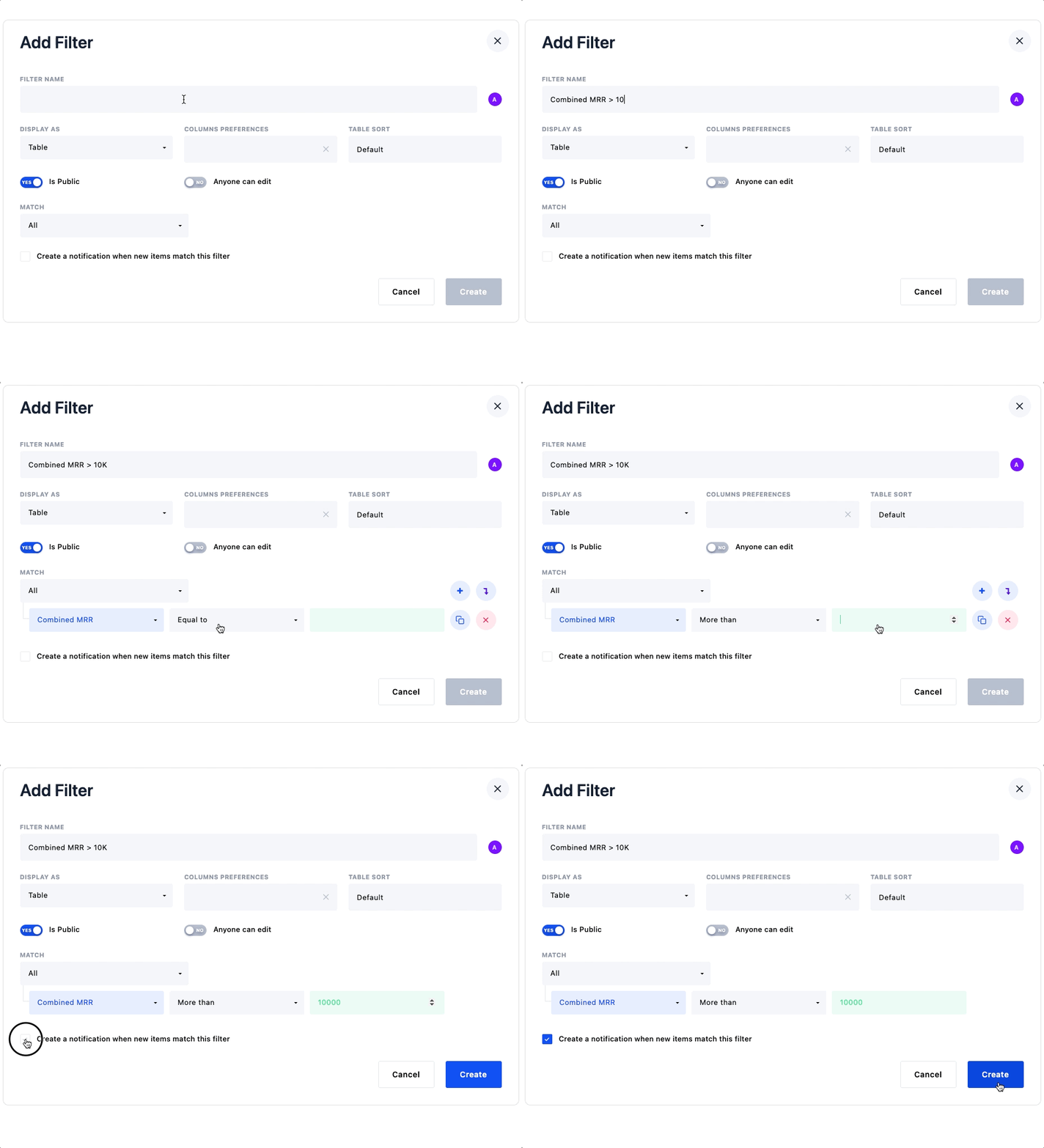
Create filters and notifications based on the impact on your revenue.
Whiting the Issues tab, click on "Add new filter"
Match the filter with the Combined MRR criteria
Check the "Create a notification" option if you want to receive a notification of new issues that matches this filter
Roles and Permissions
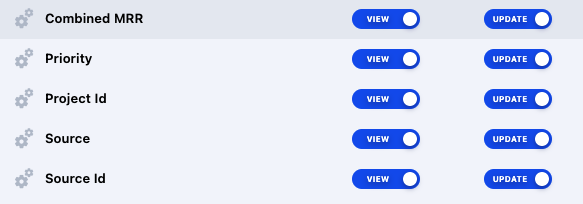
Limit who can see this information in the Teams Module.
Go to the Teams tab, and click on Roles
Select the Role you want to limit
Open "Data models permissions", then find and open the section "Issues"
Select the permissions for "Combined MRR"