System Reports: Conversations
Everything you need to know about the Conversations Report
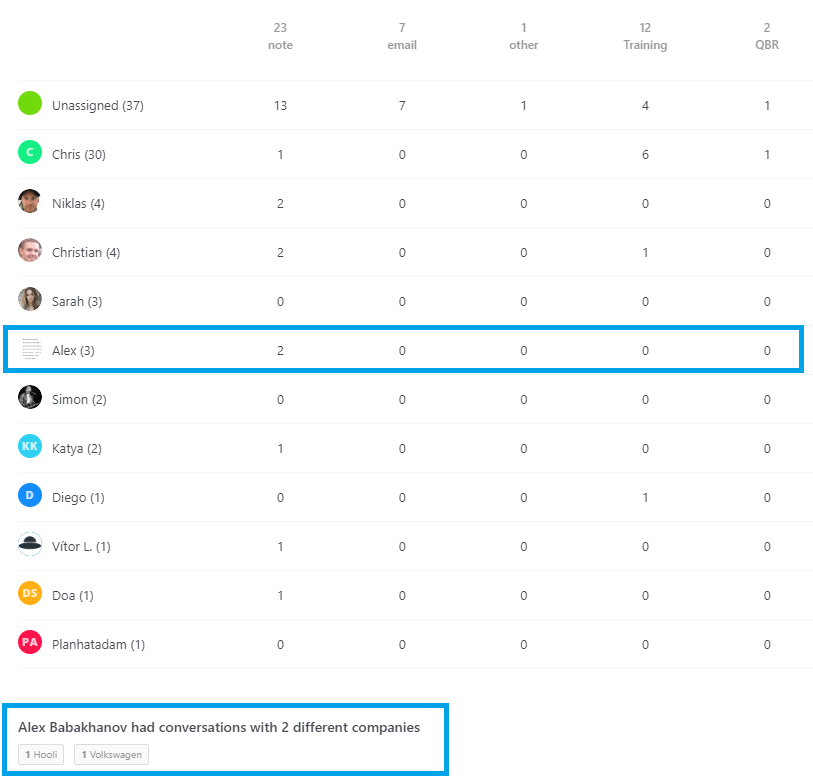
The Conversations page is an out of the box report that provides you with a count for each conversation type that your team members have been involved in. It's interactive, so if you click on a count it will tell you which companies make up the count.
There's many use cases for the Conversations page, here's just a few:
Identify where your team are spending a lot of their time: the Conversations page displays the type and count of conversations that each team member has been involved in.
Identify your more demanding customers: if you notice an increase in a particular conversation type or the volume is generally high, simply click on the figure and it will tell you which company the conversations belong to.
Identify system issues: you might notice a sudden spike in conversations which could be customers reporting an issue with the system.
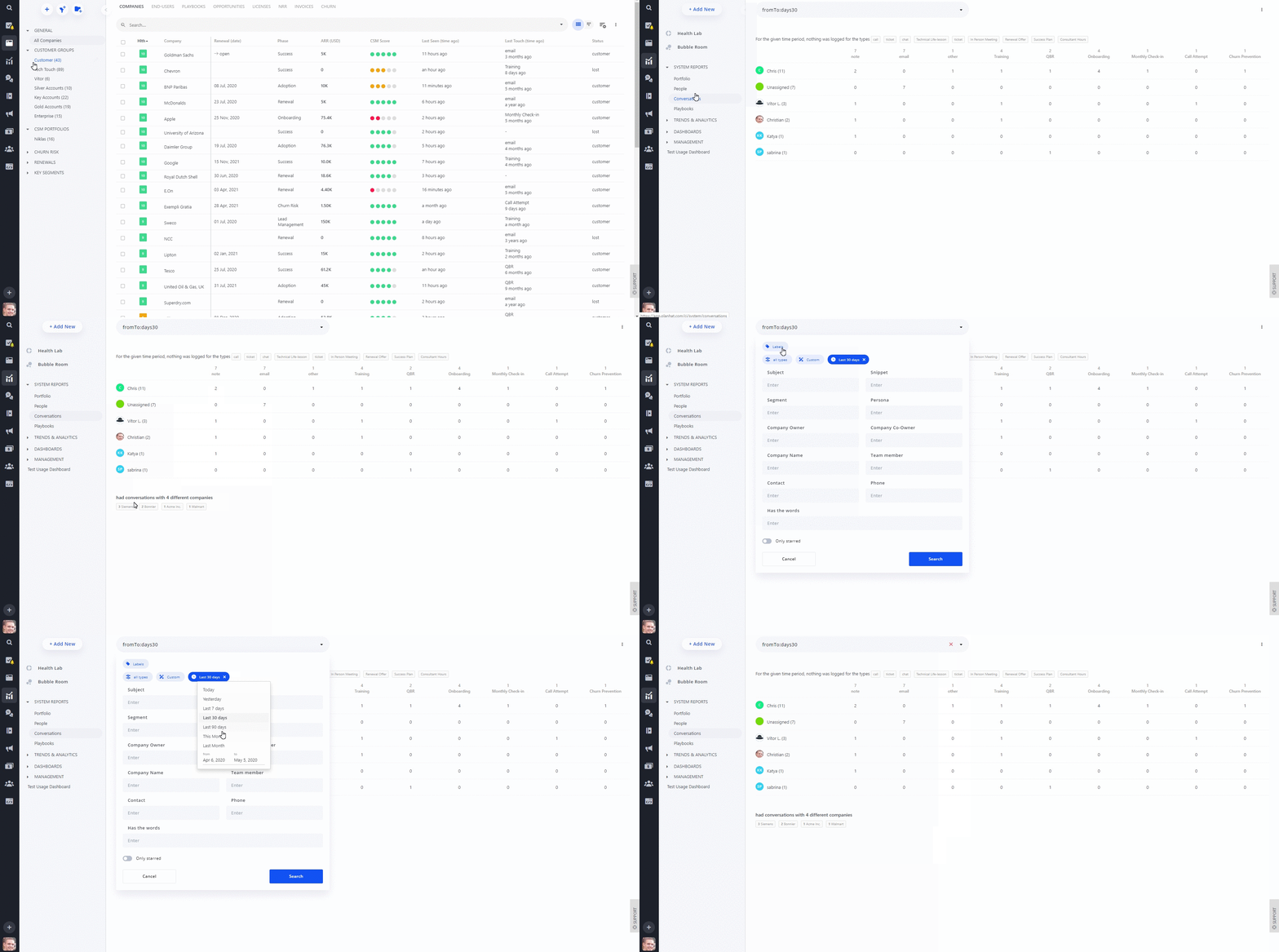
Just in case you haven't accessed the Conversations dashboard yet, you can access it by going to the Customer Intelligence module > ‘Trends & Analytics’ > ‘Conversations’.
The Conversations page is one big table, with your team members displayed down the left hand side and the conversation types along the top. If you click on a figure, the total conversations split by company is displayed along the bottom. For example, "Alex" has 2 "Notes", when I click on the figure '2' I can see those notes belong to the companies: "Hooli" and "Volkswagen.
There is also a search bar at the top of the page which you can use to filter on specific companies, team members, conversation types and much more 👍!
I'm certain you will find many uses for the Conversations page! If you have any questions, please contact our support team who will be happy to assist you 😃.