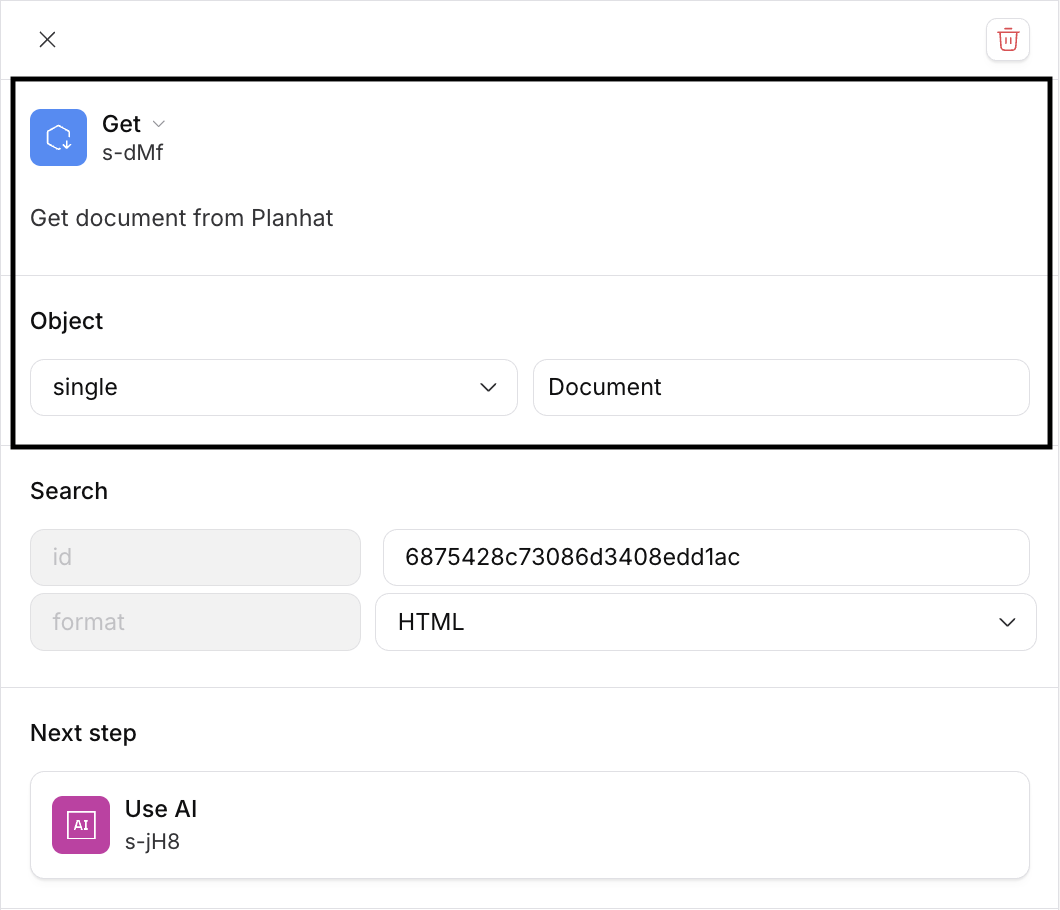
Document Pages in Automations
Read and generate Planhat Document Pages in Custom Automations
Summary
Planhat Document Pages can be created or read in Custom Automations
When creating a Document Page via an Automation, the general access can be set to public or private and set to "View" or "Edit"
Documents can be read or created in multiple output formats: text, markdown, HTML, or PH Doc / JSON
Who is this article for?
Planhat Users who are building Custom Automations for their organization and would like to read or create Planhat Document Pages
Series
This article is part of a series on Automations:
How to choose between Automations and other Planhat features
Document Pages in Automations ⬅️ You are here
Article contents

What are Document Pages and where can they be used in Automations?
Documents are a type of Page in Planhat, which support a wide variety of text formatting options, embedding tables, images, videos, attachments. You can read more about Document Pages in general in our separate article here.
Document Pages can be used in two different places in Automations,
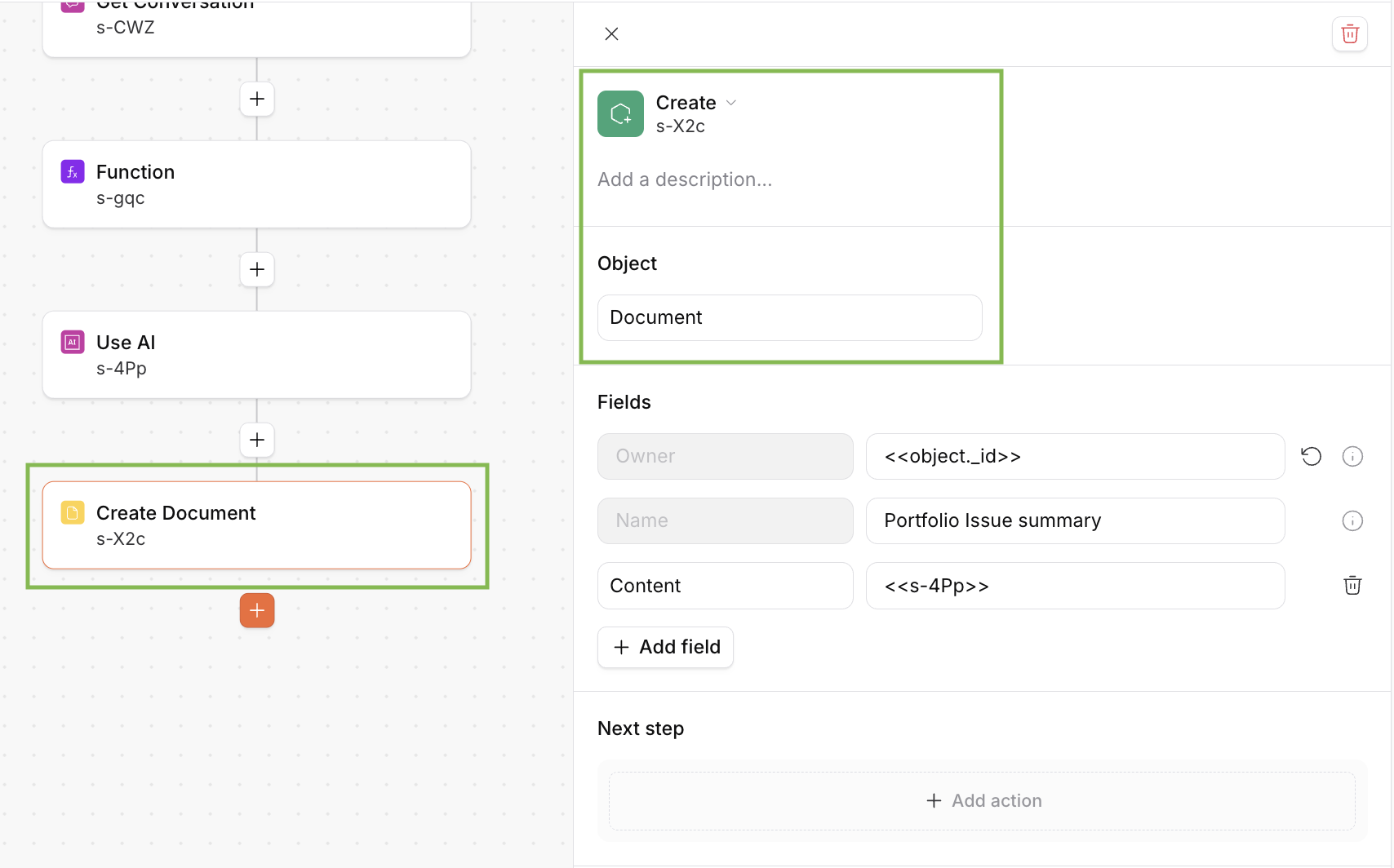
When building a Custom Automation, Documents can be created
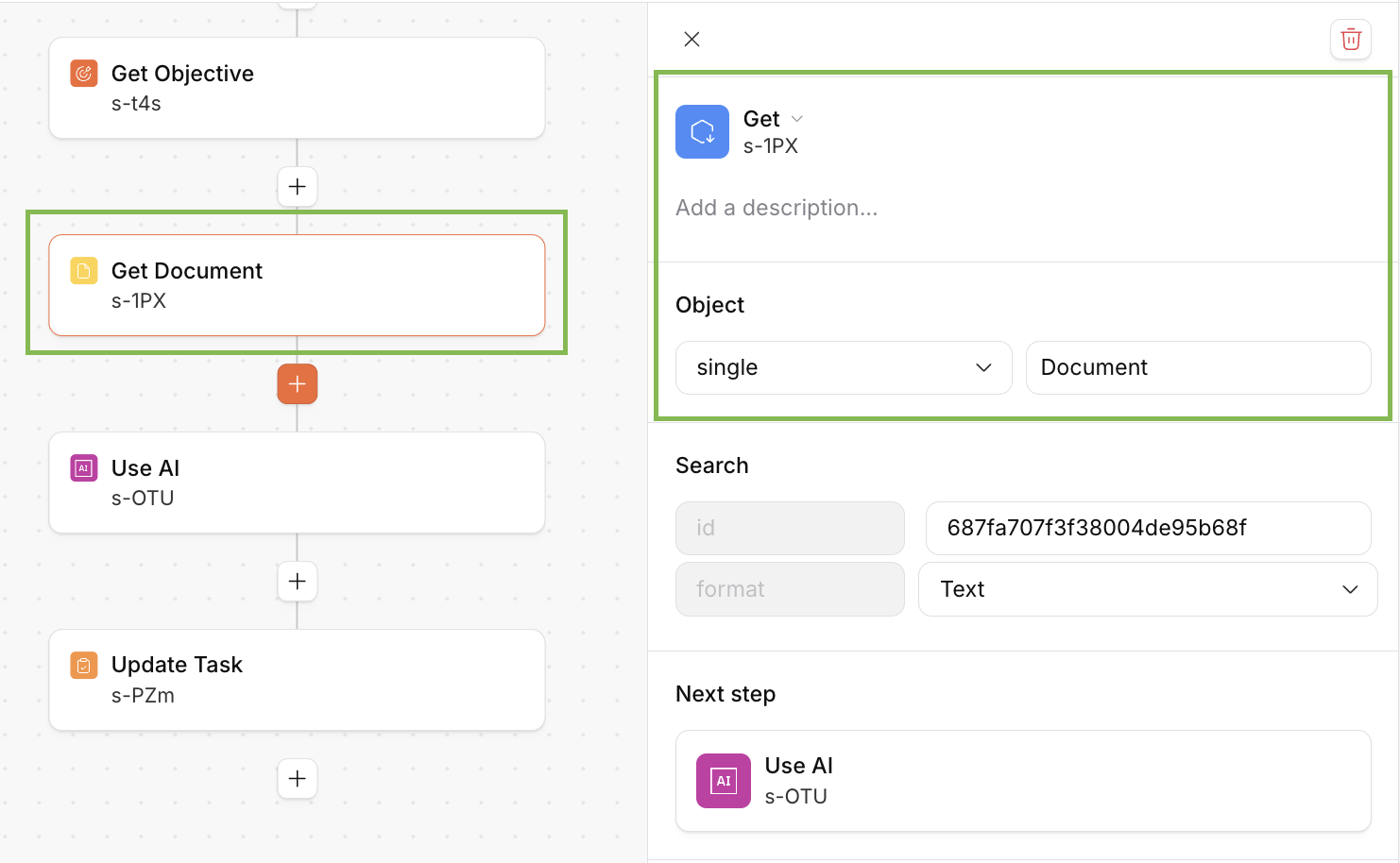
When building a Custom Automation, Documens can be read
Why use Document Pages in Automations?
Document Pages in Custom Automations have a range of different use cases, where:
reading Document Pages provides information to an Automation, and
creating Documents is a way of getting a structured output from an Automation in an easy-to-read form.
Since Document Pages don't have to belong to a specific record (e.g. a particular Company) in Planhat, it's a great way of running cross-portfolio analysis.
Examples of use cases:
When running an Automation to prepare for a QBR, include your Document Page on "Best practices for QBRs" as context. Let an LLM use an AI step to create your plan for the QBR.
Create a weekly priority Document Page for yourself to prepare for your upcoming meetings this week. Make sure to include information on your upcoming tasks, the associated Companies, and anything else that's relevant.
Create a cross-portfolio issue analysis, going through open issues and support tickets to understand which friction points are reoccurring across your portfolio.
Run a risk analysis across your portfolio: use AI to understand what risks are most prominent for the Companies you manage, and generate a game plan to tackle these risks.
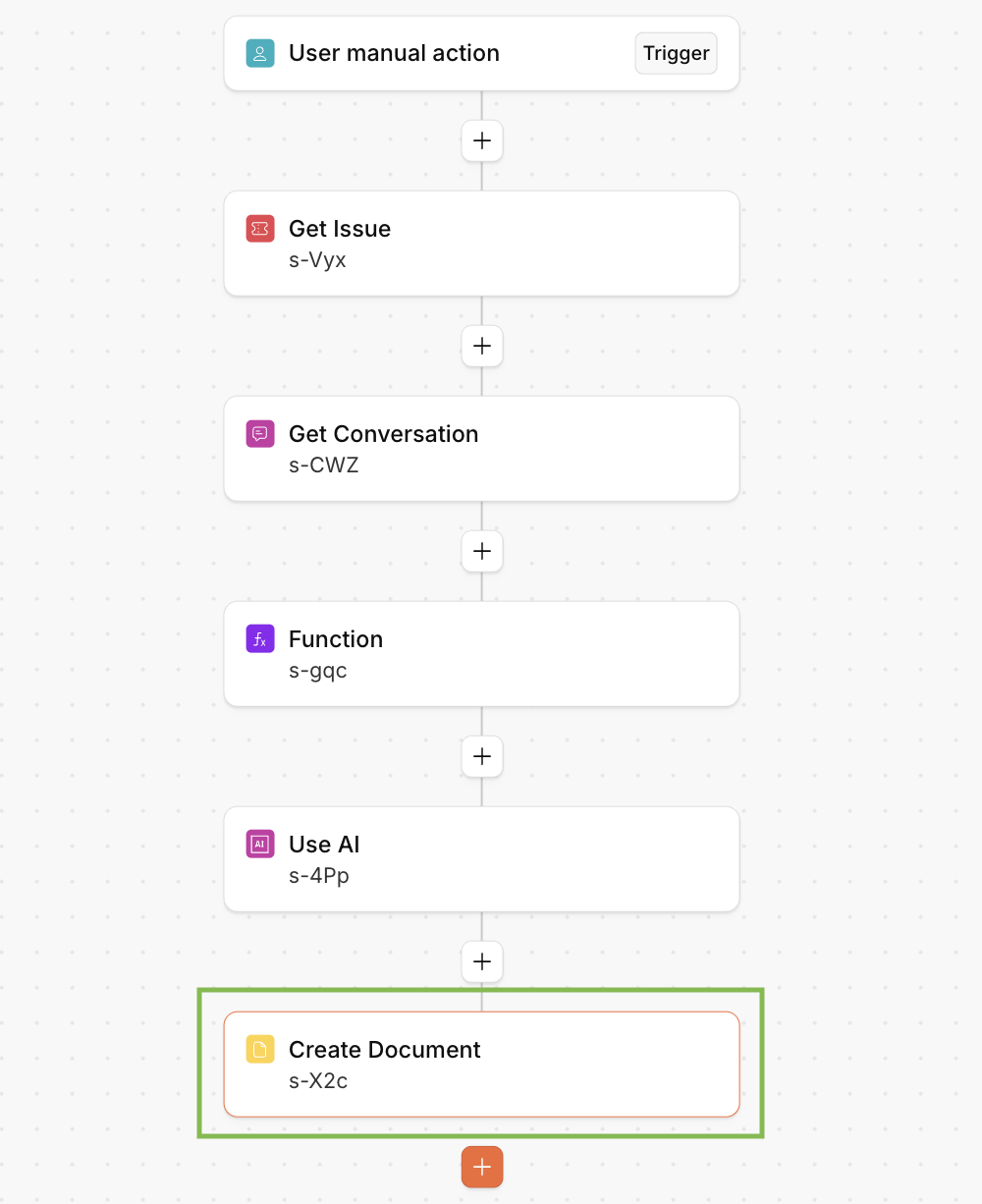
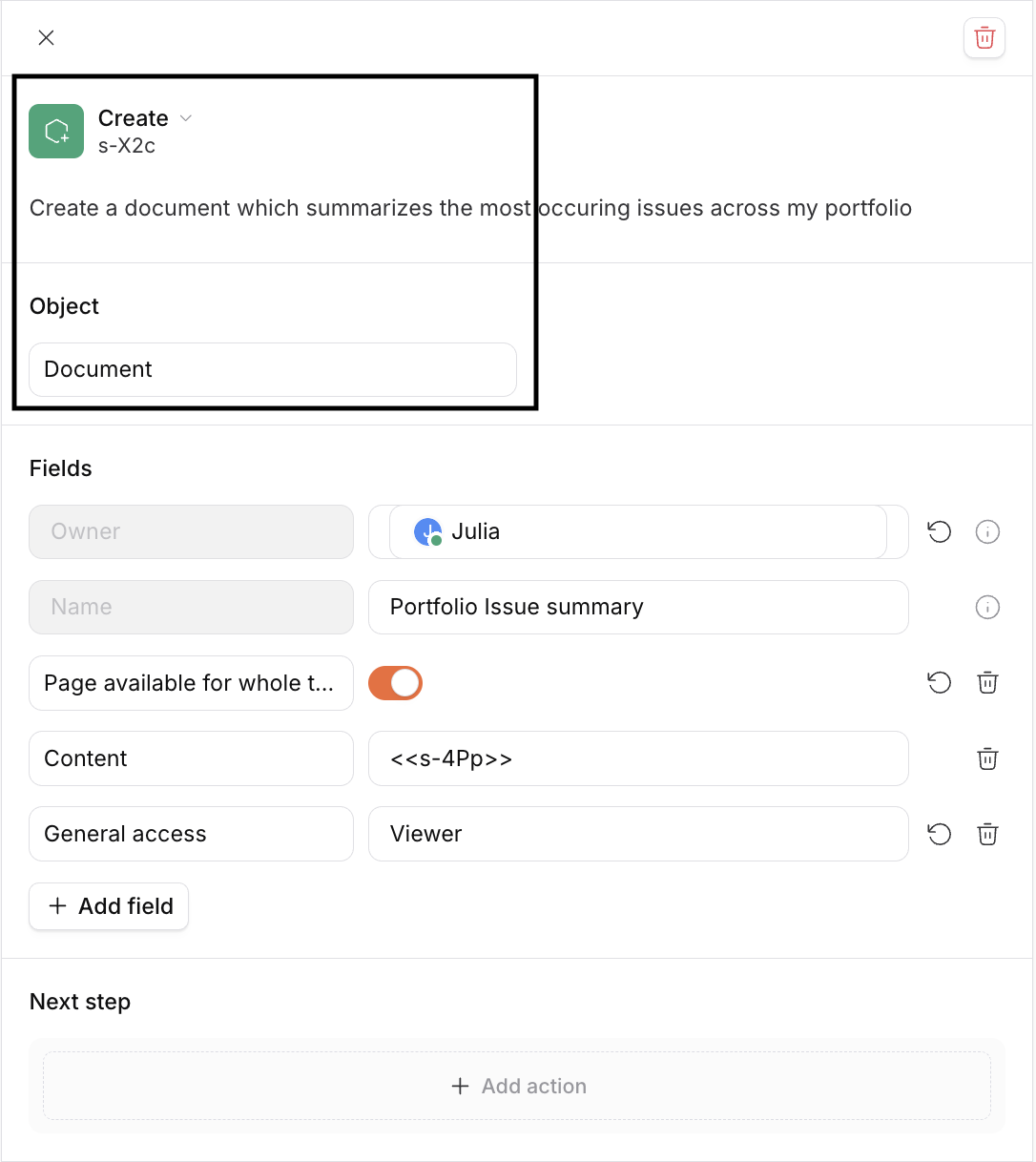
This is an example of how to create a Portfolio issue analysis documents in Automations
How to create Document Pages via Automations
Document Pages can be created in Custom Automations using a "Create" step.
How to read Documents in Automations